

You have successfully optimized your images, minimized their file size and possibly even changed their format to be more modern. However, your website is still too slow to load.
This is among the most common problems faced by business owners trying to optimize their websites. Image optimization is indeed beneficial, but it solves only part of the problem of web page loading. There is more to a web page than just images; on each page view, a request may be sent for an HTML file, CSS files, JavaScript files, fonts, analytics tools, videos, plugins, API data, database queries and much more.
This issue is important for businesses that are making investments in web development services. An optimized website will not be achieved simply through shrinking images. It requires an integrated effort in hosting, coding, rendering, caching, delivery of content, and mobile optimization.
Google’s current Core Web Vitals framework focuses on three important areas: loading performance through Largest Contentful Paint (LCP), responsiveness through Interaction to Next Paint (INP), and visual stability through Cumulative Layout Shift (CLS). Google recommends an LCP of 2.5 seconds or less, INP below 200 milliseconds and CLS below 0.1 for a good user experience.
Therefore, if your images are compressed yet you have a sluggish website, the relevant question would be “How is the rest of the performance budget being used?” rather than “How can I further compress my images?”

Why Does Compressing Images Not Always Fix Website Speed ?
Optimising the image is usually the first suggestion because images are usually one of the largest elements that a web page transfers.
Decreasing the image file size will not solve issues like slow loading due to servers, JavaScript, or external resources. Professional website development services are able to address these problems.
Think about website performance as a chain:
| Performance layer | Typical problem | Potential impact |
| Server | Slow response or overloaded hosting | Delays the entire page |
| HTML | Poor document structure | Slows resource discovery |
| CSS | Render-blocking stylesheets | Delays visual rendering |
| JavaScript | Large or inefficient scripts | Delays interaction |
| Third parties | Analytics, chat, ads and widgets | Adds requests and execution |
| Fonts | Too many weights or external requests | Delays text rendering |
| Media | Video, GIFs and background images | Increases payload |
| Database | Slow queries | Delays dynamic pages |
| Caching | Weak or missing cache rules | Repeats unnecessary work |
| Mobile rendering | Heavy desktop-oriented implementation | Creates slow mobile experiences |
That is why an optimally technically designed image can end up sitting within an inefficacious website.
A helpful approach is the following:
Optimize the page, not just the resources.
This change in thinking is what usually marks the beginning of real improvements.
10 Reasons Your Website Is Still Slow
1. Your Server Response Time Is Too Slow
Before your webpage can be shown by the browser, there is communication between the browser and the server.
The time taken by the server to deliver the first HTML page can delay the delivery of all the resources. This can be done by an experienced web development agency.
This can happen because of inexpensive or overloaded hosting, inefficient server configuration, slow database queries, excessive backend processing, poor caching or a large distance between the user and the server.
The issue with a content-heavy or dynamic website might not even be with the front end; it might be that the server just takes too long to render the page.
This is particularly true for websites that use content management systems, ecommerce websites, or other custom applications where each request involves database calls.
One wrong assumption is to keep compressing the frontend elements when the initial server response itself is too slow.
The right approach would be to diagnose the issue with the server before assuming anything about the images.
Consider the case of a home page that uses optimised images but takes 1.8 seconds before receiving any HTML response from the server.
The development team needs to look at server response time, caching, database calls, hosting, and back-end processing using professional web development services in Ahmedabad.
2. JavaScript Is Blocking the Main Thread
Modern websites rely a lot on JavaScript.
Menu, slider, form, animation, filter, personalization, analysis, chat, and interactivity can all involve JavaScript.
And the problem starts because too many scripts are downloaded, parsed, compiled, or executed before browser becomes able to perform its functions effectively.
As a result, website can contain small images and still feel very slow.
It is especially noticeable when website is loaded by a mobile device. Modern desktop computer can load a big amount of JavaScript code fast enough, but mobile device cannot manage with the same code.
What is crucial here is the difference between download and execution.
Code doesn’t need to be really big to cause problems.
A practical development audit should therefore ask:
- Which JavaScript files are essential?
- Which scripts are loaded before they are needed?
- Can non-critical scripts be deferred?
- Are multiple libraries performing similar functions?
- Are unused components being shipped to every page?
- Are animations consuming unnecessary processing resources?
In case of non-critical scripts, deferred loading, conditional loading, and code splitting can help in minimizing the effect and assist a professional website design company.
Slow Website Even After Compressing Images?
Image compression is only one piece of website speed. Heavy scripts, bloated plugins, weak hosting and too many third-party requests often do more damage. At Digifinity, we look at the full picture and fix what actually slows your site, from development to ecommerce performance. See how we help businesses in Ahmedabad and beyond build faster websites.
3. Too Many Third-Party Scripts Are Loading
This is one of the least acknowledged reasons why a website stays slow.
Marketing teams usually install analytics platforms, ad platforms, heatmaps, chat, social buttons, consent management software, A/B testing platforms, reviews and CRM integration.
Each installation looks fine on its own.
Together, however, they may cause substantial overhead.
Third-party scripts may make additional HTTP requests, use CPU, add external dependencies and sometimes even load more images or scripts themselves.
In case of a marketing agency, this reason should be taken into account especially carefully as tracking needs only grow with time.
A website may have only analytics and one ad platform installed at the beginning.
After six months, it may have several tracking tools, several pixels, a chat, a heatmap software and several marketing automation scripts.
The right solution is not always removing everything.
It is rather considering each and every script using one simple criterion:
Is this script valuable enough to cover its performance cost?
If the answer isn’t clear, turn off the resource and then test to find out what the problems are during the ecommerce website design process.
4. CSS Is Delaying the First Render
CSS controls the way the browser renders the webpage but misused style sheets can cause delays in rendering.
Large CSS files, unused CSS, external CSS files, and other blocking resources can prevent the browser from rendering the webpage efficiently.
It gets worse when the website has been growing for several years.
Developers can continue adding new features but not delete old styles, and a redesign may involve yet another CSS framework.
Plugins may come with their own CSS and page builders may create unnecessary styles.
The end product will be a CSS file which includes far more CSS code than is required for the page at hand.
A more sensible solution would be to determine what CSS the page needs to display and render the critical content without waiting for the unnecessary resources.
Unused CSS can also be deleted when possible.
This especially applies to firms that have made a lot of investments in developing mobile websites. The design cannot be the one whereby the same desktop design is squeezed in a mobile version. The responsive web design also has to factor in what the mobile users require.
5. Your Website Is Making Too Many HTTP Requests
A web page may be slow due to the fact that it requests too many individual elements from the browser.
Imagine a page requesting separate files for:
- fonts
- icons
- CSS
- JavaScript
- analytics
- advertising
- chat
- videos
- reviews
- product recommendations
- social feeds
Even though each resource itself may be quite small, the aggregate effect can prove to be quite important.
That is why performance analysis must consider the network waterfall rather than just one speed score.
Chrome DevTools can show us how long individual requests take, how big they are, what initiates them, and where they fit in the waterfall.
Our aim is not to get rid of all requests. Some requests must be made.
Our aim is to remove requests that are unnecessary, redundant, badly prioritized or loaded before they are needed.
6. Your Hosting Environment Is Underpowered
It is difficult for an elegantly designed site to make up for bad web hosting services.
In case of the server not having enough CPU power, memory, storage space, or bandwidth, the page responses will be sluggish. This is where an effective performance marketing agency comes into play.
Google’s web performance guidance explains why the initial HTML request and the critical rendering path play an important role in how quickly a webpage appears to users.
Shared hosting works absolutely fine for informational websites. But the ecommerce site, the site for lead generation, or applications will have issues as they grow.
Think about an ecommerce website making database calls each time when a user goes to a category page.
If the load on the server is already high, the server would take longer to serve the page. If you compress images of categories, the browser will transfer fewer bytes. But still, this won’t speed up database queries.
This explains why web performance needs to be considered as a full stack problem.
A technical review should consider:
| Area | What to investigate |
| Hosting | CPU, RAM, storage and resource limits |
| Server | Configuration and response times |
| Database | Query speed and indexing |
| Caching | Page, object and browser caching |
| CDN | Geographic delivery of static assets |
| Backend | Expensive processes and API calls |
| Traffic | Peaks and concurrent users |
7. Plugins and Extensions Are Adding Unnecessary Weight
Plugins have the capacity to enhance the website’s capabilities greatly.
They may even pose a performance issue.
Such instances are typical of websites whose management is done by different individuals. Web design company have the ability to get rid of unnecessary plugins.
In addition to this, some plugins will load their resources globally despite the fact that their functionality is needed only on a single page.
For instance, a form plugin may load its CSS and JavaScript across the whole website while the form is present only on the contact page.
This is true of ecommerce plugins, page builders, sliders, popups, and marketing tools.
A real audit must document:
Plugin → purpose → pages needed → resources loaded → performance cost → business value.
When there is overlap between functionality offered by two plugins, it is recommended to merge them together.
It is better to delete the plugin when you no longer need it rather than just disabling it.
8. Your Website Is Not Using Effective Caching
This process enables reuse of commonly required data as opposed to creation and downloading of data over and over again.
If caching is not done effectively, then visiting users will download the same data all over again.
Caching can exist at several levels:
- browser caching
- server-side page caching
- object caching
- CDN caching
- application-level caching
The correct configuration depends on the technology stack.
For instance, an e-commerce website requires intelligent caching because prices, inventory levels, shopping carts, and personalized content can be modified. Web development services can assist with caching.
Rather, developers will have to know what resources are static and which ones are dynamic.
The static CSS, JavaScript, font and some images can be aggressively cached, whereas dynamic account or checkout info can’t be.
9. Fonts, Videos and Other Media Are Still Heavy
Image compression does not imply that all visual elements are optimised on the website.
Video content is one of the most popular sources of bloated pages.
The video background on the homepage can weigh down even if many compressed images were used at once.
Animated GIFs might also be unexpectedly large.
In most cases, using the newer video formats instead of a GIF makes the implementation much more effective.
The next source of bloating is fonts.
Even though the website requires some font family, weight and style only, it still loads a lot of different variations.
The approach is not to cut the visuals from the website.
Instead, you need to find out which of them really matter for the user and give priority to them.
For instance, the hero video may be needed for positioning, but it does not have to load before the other vital elements.
10. Mobile Performance Is Being Treated Like Desktop Performance
Although a site that works quickly on a strong desktop computer will also seem to be running slowly on the phone because phones are connected at slower rates with lower processing capabilities. In this case, JavaScript, layout computation, fonts, images, and external scripts can affect the performance. Good responsive web design is one that understands how to prioritize resources for delivery to different devices.
In case you have a good desktop PageSpeed score but still experience poor performance on mobile, then the problem lies in the website and not in the test itself. Running a separate test for mobile performance will help you identify these issues.
How to Find the Real Cause of a Slow Website ?
The initial action to resolve the problem of slow website should be identification of the issue, instead of making arbitrary modifications. Check your website using PageSpeed Insights, analyze available field data and look into loading performance using Chrome DevTools. Repeat the process several times since different conditions of the network, the response time of the server and third-party scripts may change.
After identifying the problems, evaluate their business impact before deleting anything. The resource that takes up 300 KB but provides useful leads is more valuable than a 300 KB resource which is not even being used and needs to be deleted or optimized. The search engine marketing strategy will also aid in setting priorities in performance optimization.
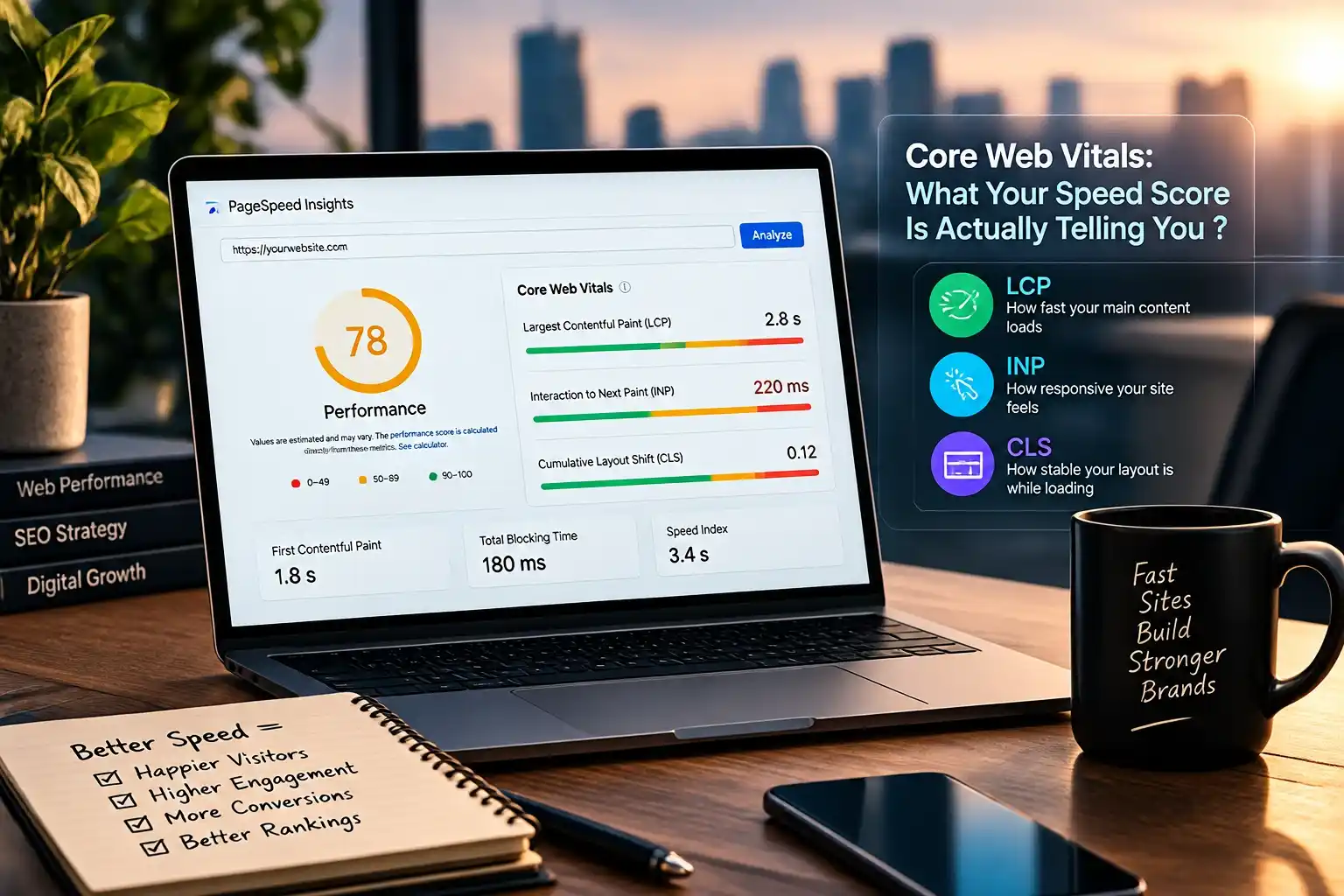
Core Web Vitals: What Your Speed Score Is Actually Telling You ?
One such misconception is regarding the PageSpeed score as the ultimate goal.
It isn’t.
The Core Web Vitals offer a better approach to measuring various components of user experience.
| Metric | What it measures | Good target |
| LCP | Loading performance | ≤ 2.5 seconds |
| INP | Responsiveness | ≤ 200 ms |
| CLS | Visual stability | ≤ 0.1 |
LCP: Is the Main Content Appearing Quickly ?
LCP stands for Largest Contentful Paint which tracks when the primary content item gets displayed.
When there are issues with your hero image or headline taking too much time to load, then simply reducing other images might not resolve the issue.
It is imperative that you identify the LCP first.
Next, understand why the LCP is lagging behind in terms of display.
INP: Does the Website Respond Quickly ?
Website that is slow despite being loaded visually.
When clicks on any menu, filter, interaction, etc. takes a while, it is because of the JavaScript.
This is especially true for companies making investments in ecommerce website design.
Let us suppose that someone has selected the filter of a product and is expecting something from the interface. Even if the product pictures had been highly compressed, the overload on the JavaScript thread could be troublesome.
CLS: Does the Page Move While It Loads ?
Unstable visuals will break a site.
The text might shift because the font hasn’t yet loaded. An image could shift content downwards since its size wasn’t set in advance. Ads or widgets could be inserted and shift everything else around.
This type of movement occurs when the browser has to recalculate the page layout after content or dimensions change. MDN’s explanation of browser layout and reflow provides further technical context.
It is good development practice to allocate enough space for dynamic content, and where feasible, dimensions should be defined for media.
A Practical Website Speed Diagnosis Framework :
As opposed to utilising any kind of random optimization technique, a well-defined four-stage approach should be taken to pinpoint and solve the problem.
Stage 1: Measure
Begin your investigation with assessing performance on both mobile and desktop, core web vitals like Largest Contentful Paint (LCP), Interactive Paint (INP), and Cumulative Layout Shift (CLS), server response time, page size, HTTP requests, JavaScript performance, and third party content loading.
Stage 2: Identify
Classify the problem into server problems, frontend code problems, heavy files, and third party. Website development services may assist with optimising your hosting, code, media, and third party.
Stage 3: Prioritise
Do not just go after the easiest bug to fix. Determine what is having the most effect on the user experience. If the big INP problem is caused by JavaScript, compressing your optimised images will probably not make a difference.
Stage 4: Validate
Try out the web page after every big change to see if it is indeed performing better than before. If you try out many things at once, it will be hard to see which one is working.
How Web Development Services Can Fix the Problem at Its Source ?
When speed issues persist even after a website has been optimized in general terms, it usually calls for a more technical analysis.
In the following case, a development team might determine that:
A slow home page is due to a big hero image on the page.
However, further investigation will reveal that the hero image is also loaded late because of render-blocking CSS.
The actual solution is thus not just “reduce the image size.”
It might involve proper image size, format, resource prioritization, and even efficient CSS.
If you are evaluating your site’s overall technical infrastructure, web development agency needs to be compared with technical SEO, accessibility, mobile optimization, and conversion demands.
This is particularly important to the marketing firm since web speed influences both acquisition and conversion.

Website Speed Optimisation for Ecommerce Websites :
The ecommerce site will have much more functionality compared to regular business sites, such as image galleries, reviews, recommendations, payment gateways, analytics, advertising pixels, and user account logins. This shows that ecommerce sites should not only be aesthetically pleasing but also fast and responsive. An appealing-looking product page can lose its customer even before becoming interactive due to poor loading time.
For instance, ecommerce audit might show that the product images are compressed, while other elements, such as recommendation tools, review modules, chat systems and libraries from the themes, which were not used, are causing additional requests. The problem is not in the images but rather in the page architecture. Good ecommerce development involves putting priority on important content and postponing all others until it is necessary.
Website Speed, SEO and Conversion Performance :
Website performance cannot be considered to be a stand-alone technical measurement.
It is located at the junction between SEO, user experience, and conversion optimization, backed up by good SEO services.
This is an important distinction.
The website should not be rebuilt in order to get a 100% rating on Lighthouse.
The performance optimizations that we do should deliver some real value.
Such as:
SEO: The search engine is able to index and render the pages more effectively.
UX: The visitor will have faster access to relevant information and will interact with the site better.
Conversion: The quicker interactions decrease friction from landing to converting.
Technical simplicity: The less technical complexity there is, the simpler it becomes to manage and scale a website.
How to Build a Faster Website Without Sacrificing Design ?
Speed and design do not need to be conflicting factors.
The issue is generally due to inefficient execution.
A great web design company would be able to build a great visual experience while being strategic on what loads first.
This means that the website will show its main heading and other text elements first before loading the background video.
This means that the site won’t load all the different fonts but only a couple.
Rather than preloading each animation on the page, the website design company can initiate them only when they become relevant.
In lieu of a large graphic design, the design can have image sizes that are responsive to the size of the display screen.
It’s very straightforward:
Design the experience, then design the way it loads.
Which entails coordination among designers, developers, and SEOs.
When Should You Consider a Website Rebuild ?
Every slow website doesn’t necessarily require a rebuild.
Often, optimisation can suffice.
When a rebuild looks more appropriate, the cause for that is likely a website structure that makes optimisation harder and harder.
Signs of that include the use of an outdated system, the presence of too many plugins, duplication of functionalities, heavy customisation of legacy code, bad integration with the hosting environment, or the use of a page builder producing too much markup.
Low speed isn’t a reason to rebuild a website.
The real reason is the comparison of maintenance costs and business value gained from the better architecture.
An experienced web design company or web developer should be able to identify what is required, how it needs to be done, and what improvement should the company expect from the project.

What a Professional Website Performance Audit Should Deliver ?
A proper audit should do more than provide a list of Lighthouse warnings.
Akamai explains that performance testing is designed to identify bottlenecks and performance issues across different devices and network conditions, while also connecting website performance with user experience and business outcomes
Output to cover:
What is slow?
Determine the exact resource, function or architecture element that is causing the slowness.
Why is it slow?
Determine the reason behind the slowness whether hosting, code, requests, external services or any other technical problem.
What needs to change?
Technical advice instead of general speed advice.
What is the expected business outcome?
Relate the technical recommendation to load time, usability, SEO, or conversions.
This is especially true when choosing a web development agency.
A good agency will not claim that each of their sites can have a flawless performance score. A good agency will show how they evaluate performance, prioritize technical problems, and validate improvements.
The Bigger Lesson: Speed Is an Architecture Problem :
Even if you’ve compressed your images and your site remains slow, do not think that you have missed one more step in image compression.
You need to understand that the reason for slowness may be completely different.
Your server may be slow. Your JS may be expensive. Your CSS is blocking rendering. Your hosting is wrong. Your website loads too many third-party services. Your plugins are sending additional requests. Your caching is wrong. Your mobile design includes too much desktop content.
Fast websites consist of hundreds of small decisions combined.
However, the most effective way is to find the bottleneck through measurements and make changes based on the results. This is more productive than continuously compressing images and waiting until the speed score gets better.
Conclusion :
If, however, your site is still slow despite image compression, then image optimization might not be your main issue anymore. The web development services can solve the overall behavior of your server, code, CSS, JavaScript, external resources, hosting, caching, and media and mobile optimization. Core Web Vitals give valuable signals, but the aim here should be speed, stability, and responsiveness.
Businesses that are using digital marketing strategies such as SEO and online lead generation have to regard their performance as an element of their websites’ commercial infrastructure. Experienced developers can detect technological problems, optimize the existing architecture of the website and boost its performance without damaging design and functionality. The process of performance optimization becomes more sustainable and easy-to-maintain when treated as a business problem, not an image compression one.