

The form on your website might be perfect for the user, but if the lead does not arrive to the right email, there’s something wrong.
The potential customer leaves the enquiry, receives the message and thinks that the person from the company will contact him or her soon. However, the email with the notification might be waiting in the Spam box, or might not reach the destination at all due to faulty mailing configuration on the website side.
It’s not just another minor technical problem. This issue is critical for lead generation websites.
The difference lies in the fact that web development services are more than just the visual aspect of the website or even whether a form button functions properly. It is in the technical process wherein the validation, processing, authentication, transfer and integration of data is achieved.
The recent guidelines from Google have also stated that email deliverability is contingent on authentication, sender behavior, reputation, and messaging. There are certain standards that Gmail enforces, and there are higher standards for high-volume senders.
Why do website forms get to spam?
Normally, there is no single reason for that. The problem may be on the form side, server of your website, DNS, SMTP, e-mail service, domain reputation or recipient’s mailbox.
Here is an analysis of possible errors.

Why Do Website Forms Go to Spam?
Change nothing without understanding this first:
The form on a website doesn’t dictate whether an email goes to the inbox.
The form gathers the data. This is then handled by the website itself. The server or email service then sends a notification. Website development services can be of great assistance in ensuring that the above process goes on well. The receiving email provider then analyzes the message and decides where to place it.
Here is the workflow simplified:
Visitor → Website Form → Website Server → Mail Service → DNS Authentication → Receiving Mail Server → Inbox/Spam
Problems at any step may influence delivery.
For instance, suppose a visitor sends the following form:
Name: Sarah
Email: sarah@example.com
Message: I would like a quotation for your services.
Though the form will record all the information and show the message “Thank you for contacting us,” if the website sends the notice through a misconfigured mail server, the receiving company may question the integrity of the email.
This is why checking the functionality of the submit button only is not sufficient.
The Form Is Not the Same as the Email :
A common misconception is that:
Form submitted successfully = Email sent successfully.
However, these are two different events.
The website may be able to submit a POST request successfully while failing to authenticate and deliver the email.
This is why an effective technical audit would verify both:
- Form processing
- Email delivery
This difference is important when considering paid ads. If 20 out of 100 enquiries do not make their way to the sales department, then the dashboard may give false leads. An effective web development agency can guarantee that all enquiries are accounted for.
That creates a misleading picture of campaign performance.
Spam Filtering Happens After Submission :
Once your email is sent from your website setup, the receiving service analyzes numerous signals.
Such signals can be authentication, sender reputation, message, sending, and recipient behavior.
According to Google, you should monitor authentication, delivery failures, and spam data via Postmaster Tools for Gmail.
In other words, solving the spam issue on your website form will take more than just adding CAPTCHA.
Website Forms Still Landing in Spam? Let’s Fix the Cause
Missed enquiries mean missed revenue. We secure your forms against bots, set up proper email authentication and make sure your leads actually reach your inbox. See how our website development and SEO services keep your lead flow working.
11 Reasons Your Website Forms Keep Going to Spam
1. Your Website Is Using Poorly Configured Email Delivery
A very typical technical issue is assuming the default mail function of the website server works without configuring it correctly for authentication and message transmission.
This happens on websites such as WordPress, customized PHP sites, e-commerce and unique applications.
Just because the website sends out an email doesn’t guarantee the recipient’s provider trusts it.
Properly configuring a transactional email campaign, with the assistance of an experienced performance marketing agency, enhances email authentication, delivery, and campaign performance in general.
With regards to business websites, it is essential to decouple the form submission process and email delivery.
As opposed to considering email delivery a secondary issue, it is important for the software design process to intentionally determine the mail delivery server, the authentication domain, the sender, reply-to address, failure logging, and spam handling procedures.
2. SPF, DKIM or DMARC Is Missing
Email authentication is one of the first technical areas to investigate.
The three terms are often grouped together, but they solve different problems.
| Technology | Primary purpose | What it helps establish |
| SPF | Authorised sending servers | Which systems are allowed to send for a domain |
| DKIM | Cryptographic signing | Whether a message was authorised and altered in transit |
| DMARC | Policy and alignment | How receiving providers should handle authentication failures |
This matters even when your business is not sending newsletters.
Emails can be sent from a website form, but emails will definitely have to be sent from some address. You could hire a professional website design company for configuring an appropriate sending address.
For instance, you may show:
From: enquiries@yourcompany.com
However, the mail is being sent via some external infrastructure which has not been properly authenticated to your domain name.
There may be a conflict in the identities of the sender as perceived by the receiving server and the authenticated sender.
3. Your Website Uses an Unauthenticated “From” Address
This is one of the more frequent implementation errors.
The programmer can set up the contact form in such a way that the user’s email address will become the From-address:
From: customer@gmail.com
It looks like a simple solution because the sales staff will only need to press “Reply.”
However, there is one technical error here.
Though your website is not Google’s Gmail service, you try to send emails from a Gmail address.
A better design would be:
From: website@yourcompany.com
Reply-To: the address the visitor provided
In this case, the email is sent from the business domain you own.
4. Your Domain or IP Has a Poor Reputation
Message authentication ensures that a message is authorized. This is one factor that should be taken into account when developing ecommerce website design.
However, it does not necessarily assure you inbox delivery.
The reputation of the sender also counts.
There may be issues with delivery, if a domain or sending IP has some history of suspicious activity, excessive spam complaints, compromised forms or poor sending practices.
This is especially important if the website is compromised or forms are misused.
Let us assume that there is a contact form which usually gets around 20 valid inquiries daily.
Some bots find out about the endpoint and start sending thousands of form submissions.
The website starts sending thousands of notification emails.
The issue has now expanded from the form itself.
The domain or sending infrastructure might be sending an unusually large volume of email.
5. Your Form Is Being Abused by Bots

It’s not that legitimate emails are erroneously flagged in some cases.
Your form is being specifically targeted by auto-submissions.
Indications of this can include: submission spikes in a short amount of time, nonsensical names and messages, duplicate links, exact duplicates of each other, dubious URLs, unusual geography, and spikes in submissions.
Some basic spam prevention tools include CAPTCHA, honeypot traps, rate limiting, and server-side validation which are usually available as part of web development services in Ahmedabad.
However, do not rush to use CAPTCHA on all your forms.
There is always a trade-off when it comes to conversions.
While a secure method can cut down on spam, it could equally dissuade legitimate users from filling out the form.
The answer to the dilemma is to use layers of protection.
For instance:
Low-risk user → invisible or frictionless protection
High-risk activity → enhanced challenge
High volume of attempts → rate-limiting or blocking
6. There Is No Proper Input Validation
Form security starts even before the email is sent.
If your website uses any and all the data that the browser sends to insert into an email template, your architecture is weak.
Imagine a form having Name, Email, Phone, Company, and Message fields.
Each field needs to have some validation requirements.
For instance, the email field must have a properly structured email address. The phone field cannot accept unlimited characters. There needs to be a proper limitation in the message field.
However, validation must not be done only in JavaScript.
Client-side validation makes for good user experience.
Server-side validation acts as the security barrier.
OWASP explains why input validation should occur on the server and why client-side validation alone is not sufficient for application security.
This is significant because hackers can circumvent browser settings, and therefore it is necessary to hire a competent web design company.
Professional development cycle therefore revalidates the request after it has been received at the backend.
7. Your SMTP Configuration Is Incorrect
Another important aspect in this chain of events is SMTP.
In case the web site tries to send emails using an SMTP service, but the authentication data, host name, port number, encryption, or authentication details are wrong, then the messages won’t go through or will work unpredictably.
The right SMTP settings have to be tested, rather than being trusted.
One possible test sequence looks like this:
form submission → application log → SMTP connection → authentication → acceptance by the mail server → delivery
If the log of your application claims that the email was generated but the SMTP server refuses it, there is no problem with the form.
When the SMTP accepts the message but the recipient gets it in the Spam folder, then the problem is authentication, reputation or other.
8. Form Notifications Contain Suspicious or Inconsistent Content
Email providers do not evaluate authentication alone.
The content and sending pattern can also affect how messages are treated.
Consider two notification emails.
Example A
New website enquiry
Name: James Patel
Company: ABC Ltd
Email: james@example.com
Message: Please contact me regarding your SEO package.
Example B
URGENT!!! CLICK HERE NOW!!!
FREE OFFER
http://random-domain.example
The second message naturally presents a different risk profile.
Notifications should have consistent formatting like responsive web design which provides an identical user experience on all devices.
Do not use excessive capitalisation, suspicious links, misleading sender names, promotional information, unusual HTML format, and inconsistent From addresses.
If the email notification should be a transactional lead alert, then it needs to remain transactional.
9. Your Website Sends Too Many Automated Messages
Volume is important.
An inefficient process can cause a small site to become an unintentional email sender.
However, legitimate organizations can inadvertently cause their own issues because of badly conceived automation.
Consider an ecommerce site that, when a single event occurs from a customer, sends out form notifications, customer confirmation emails, sales emails, CRM notifications, SMS, and a marketing email.
It can inadvertently cause email volume issues.
The fix isn’t just about sending less email.
It’s about creating your email communication structure.
Decide what events really need an email and what needs to go to the CRM or dashboard notifications system.
10. Your Form Plugin or Integration Is Outdated
Website technology constantly evolves.
The functionality of a contact form plugin could rely upon WordPress, PHP, SMTP libraries, APIs, CAPTCHA services, CRM, payment systems, and email service providers.
An old plugin would still be able to function properly despite its internal functionality being outdated or vulnerable.
That’s why it is essential for companies to evaluate the health of websites based not only on their appearance.
A website can be modernized but have an outdated communication layer that dates back several years.
That’s critical for companies that depend on lead generation.
Website development services providers should periodically audit the entire form stack rather than upgrading plugins whenever a notification comes up from wordPress.
11. The Problem Is Actually With the Recipient’s Mailbox
Not all spam issues arise from your site.
Assume your domain has correct SPF, valid DKIM, proper DMARC, active SMTP, right form validation, and normal sending.
Still, a single employee continues getting contacts in spam mail.
It might be an individual issue for this particular recipient or for his company, which uses email filtering or security gateway.
This is why debugging needs several destinations.
Check Gmail, Outlook, business email, and one more mailbox in your domain.
If your email always lands in Gmail accounts but always gets into spam of one company, then further investigation should be targeted at the recipient’s email administrator.
How to Stop Website Forms Going to Spam ?
Fixing the problem becomes much easier when you approach it systematically.
Step 1: Identify Where the Failure Happens
Is the problem happening when:
Submission → Processing → Sending → Delivery → Inbox placement?
Do not alter five things at once.
If the form is not collecting submissions, find out what is wrong with the application.
If the submission records exist but the emails are not present, it may be necessary to check the mail service as part of your SEO services.
If they are accepted but go into spam, look at authentication, reputation, and message characteristics.
This straightforward differentiation could save you many hours of development time.
Step 2: Authenticate Your Sending Domain
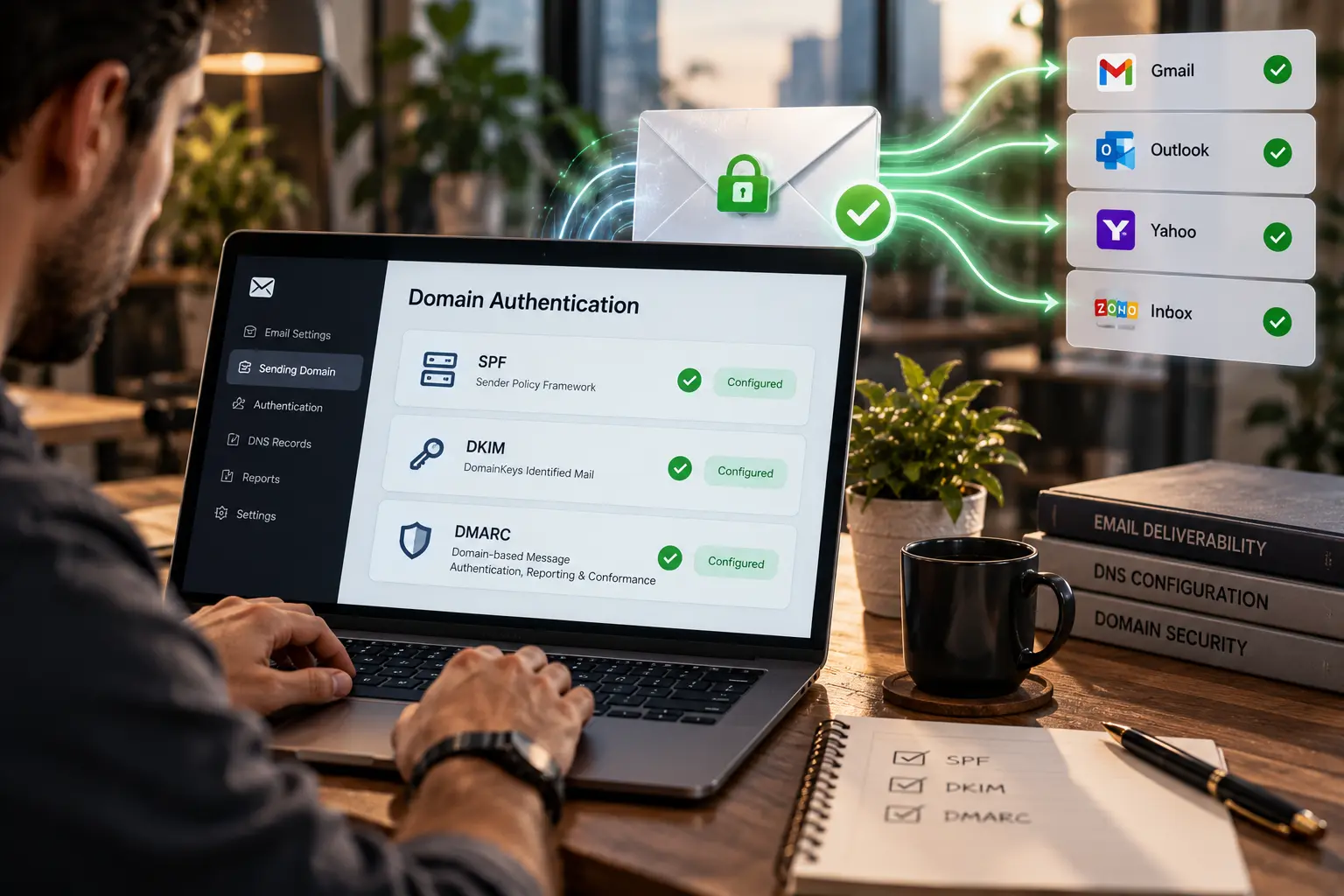
Verify the settings on the DNS server associated with your domain.
At a minimum, make sure to check:
SPF
That the correct sending domains are included.
DKIM
That messages are signed as required.
DMARC
That there is a DMARC policy set up with the proper configuration for reporting and alignment.
Google now requires DMARC in addition to SPF and DKIM for any bulk mail sent from Gmail.
Even companies sending smaller volumes of email need to treat authentication as basic infrastructure rather than a marketing tool.
Step 3: Configure SMTP or a Reliable Transactional Email Service
Your website must have a proper process for delivering emails.
This usually involves hooking up the application to an SMTP or transactional email service that is properly authenticated.
It must be set up such that the following questions can be answered:
Which user is sending the email?
From which domain?
Through which server?
Using which form of authentication?
Where are failed deliveries stored?
If no one is able to answer these questions, then the email system on the website should be looked at for professional web development services.
Step 4: Fix the “From” and “Reply-To” Architecture
Always use an authenticated domain for the sending email.
For instance:
From: website@company.com
Reply-To: prospect@gmail.com
That way, your business domain authenticates the outgoing email and still maintains the practical workflow for the sales team.
It’s a little tweak that could save you from having a needlessly complicated sender setup.
Step 5: Add Form Validation and Spam Protection
A strong implementation uses several layers.
| Layer | Purpose |
| Client-side validation | Immediate user feedback |
| Server-side validation | Security and data integrity |
| Honeypot | Detect simple bots |
| CAPTCHA/risk scoring | Detect suspicious interactions |
| Rate limiting | Restrict repeated requests |
| Input length limits | Reduce abuse |
| IP/request monitoring | Identify abnormal patterns |
| Email verification | Confirm ownership when appropriate |
The key principle is layered protection.
No single anti-spam mechanism is perfect.
Step 6: Monitor Delivery and Reputation
A website form should not be considered “fixed” merely because one test email reaches the inbox.
Monitor the system over time.
Look for:
- delivery failures;
- bounce messages;
- spam complaints;
- sudden submission spikes;
- authentication failures;
- unexpected sending volume;
- changes in domain reputation.
Gmail Postmaster Tools gives data about authentication, delivery failures, reputation, and spam to help a web development agency determine any problems with their email infrastructure.
For a business dependent on inbound enquiries, this monitoring should form part of routine website maintenance.
Step 7: Test Across Multiple Email Providers
Run controlled tests using several destinations.
A simple matrix might look like this:
| Test | Result | What it tells you |
| Gmail inbox | Delivered | Basic Gmail delivery works |
| Gmail spam | Spam | Investigate reputation/content/authentication |
| Outlook | Delivered | Cross-provider delivery looks healthy |
| Business mailbox | Quarantined | Recipient-side filtering may be involved |
| No delivery anywhere | Failed | Investigate sending infrastructure |
Testing across providers helps prevent false conclusions.
SPF vs DKIM vs DMARC for Website Forms :
These technologies are frequently treated as interchangeable, but they address different parts of the trust problem.
DMARC.org describes how SPF and DKIM enable email authentication, and how DMARC then adds alignment and guidance for failure cases. This is significant because DMARC extends SPF and DKIM, adding domain alignment and policy enforcement.
SPF Question: Is the sending infrastructure authorized to send on behalf of the domain?
DKIM Question: Does this email have a valid digital signature from the sending domain?
DMARC Question: If authentication fails what actions should be taken, and is the visible “From” domain matching the authenticated domain?
The real architecture of a website becomes:
Website → Email authentication service → SPF/DKIM → DMARC alignment → Receiving service
As for Gmail, the requirements that currently apply to senders include SPF, DKIM, DMARC, DNS, TLS, and message spam rates, among others, which should be considered by a professional website design company when developing website forms.
The key takeaway here is that:
Email delivery is part of website infrastructure.
This shouldn’t be considered the domain of the marketing department to fix after launch.
How Form Security and Email Deliverability Work Together ?

Deliverability and security go hand in hand.
Imagine a website without any rate limiting.
A bot makes 50,000 requests to the contact form.
The website creates an email from each request.
This could lead to:
50,000 form submissions → 50,000 outgoing emails → abnormal sending behavior → poor reputation → legitimate emails affected
Thus, the initial security loophole turns into a deliverability issue.
A secure form should control:
- what data enters the system;
- how frequently requests can be submitted;
- how data is stored;
- what triggers an email;
- which system sends that email;
- how failures are recorded.
That is a much more robust approach than simply installing CAPTCHA.
A Technical Website Form Audit Framework :
To marketing firms and companies running several websites, an audit process can be quite helpful to maintain consistency in search engine marketing and website management.
The F-D-S-D Framework
Form – F
Fields, Validation, Submission & User Experience.
Delivery – D
SMTP, Authentication, Sender Identity & Mail Server Responses.
Security – S
CAPTCHA, Honeypot, Rate Limiting, Input Validation & Bot Activity.
Diagnostics – D
Logs, Delivery Errors, Spam Placement & DNS & Reputation.
| Audit Area | Questions to Ask | Priority |
| Form | Are submissions recorded correctly? | High |
| Validation | Is input validated server-side? | High |
| SMTP | Is the sending server authenticated? | High |
| SPF | Is the sender authorised? | High |
| DKIM | Are messages signed? | High |
| DMARC | Is domain alignment configured? | High |
| Security | Are automated submissions controlled? | High |
| Reputation | Is unusual sending activity occurring? | High |
| UX | Is the form easy to complete? | Medium |
| Monitoring | Are failures logged and reviewed? | Medium |
This framework is particularly useful when auditing lead-generation websites because it connects technical performance with commercial outcomes.
When Website Development Is the Real Problem ?
Sometimes the most appropriate solution is not another plugin.
It is better development.
A website may have been assembled over several years using:
- an old form plugin;
- a legacy SMTP configuration;
- multiple developers;
- several marketing integrations;
- an outdated PHP environment;
- custom scripts with little documentation.
At that point, fixing individual symptoms can become inefficient.
A professional team can review the architecture to find out whether the problem is related to the application, hosting, email system, or ecommerce website design.
The goal should not be:
“Make the form email.”
The correct goal is:
“Develop a robust lead capture process that verifies, secures, delivers, records and measures the submission.”
This is the difference between maintenance and strategy.
How to Prevent Form Spam Without Hurting Conversions ?
However, there is an urge to combat spam by increasing the complexity of forms.
This could lead to another issue.
For example, a form that initially contains:
Name + Email + Message
A company encounters spam.
The developers introduce:
Name + Email + Phone + Company + Budget + CAPTCHA + OTP + extra verifications
Spam can be reduced, yet prospects could give up on filling out the form.
Instead, opt for progressive protection.
Begin with:
Basic form + server validation + honeypot + rate limiting
And apply more secure methods in case of suspicious activity.
For higher-risk forms, look at risk-based CAPTCHA or other verifications.
The idea is simple:
The security must correspond to the risk level.
Newsletter subscription, expensive B2B inquiry, and password reset form don’t always need the same level of protection.
Website Forms, SEO and Lead Generation Are Connected :

The division between SEO and forms can be seen very clearly even within a professional web design company.
They do not.
SEO brings visibility.
The website provides the conversion.
The form captures the inquiry.
The email setup sends out the notification.
The sales team responds.
If any part of the chain fails, the overall commercial value of the acquisition chain becomes less.
Consider a business spending ₹3,00,000 every month on organic content, paid campaigns, and landing pages.
The traffic grows.
The lead flow grows.
But 15% of the lead notifications from the forms go missing because the email infrastructure at the website is unstable.
The marketing department might think the leads are low-quality when the real problem is lead management.
This is why technical website reviews must link:
Traffic → Form → Delivery → CRM → Sales → Revenue
and not end at page visits or form fills.
A Mini Example: How a Form Problem Can Distort Marketing Data ?
Let’s take an example of a fictitious B2B software company with 18,000 visitors to its website, 420 form fills, 365 CRM leads, 338 sales notification emails received, and 94 qualified leads. At a superficial level, one could be tempted to compare the difference between 420 submissions and 365 CRM leads. However, upon closer inspection, one realizes that the website had a buggy email setup that delivered emails to spam.
Responsive web design also has an effect on the user’s journey, but the main issue wasn’t the performance of the campaigns at all – it was the lead processing system itself. Having fixed the process of transferring leads from the website to the email, the company will be able to track the true path of its customers.
What a Professional Website Form Audit Should Deliver ?
An effective audit will result in more than just:
“Your form is going to spam.”
Rather, it will answer the following questions:
What is the issue?
Is there rejection, spamming, non-delivery?
Why is this issue occurring?
Is the problem caused by SMTP, authentication, reputation, form abuse, recipient filtering, or application logic?
Where is the failure?
Submission? Processing? Sending? Delivery?
What needs to be fixed?
What technical components need to be altered?
Mozilla Observatory offers insight into website security settings and gives organizations another perspective on evaluating technical implementation.
How is the problem tested to make sure it is fixed?
Which test cases prove that the problem is solved?
This is the norm that companies should be receiving from professional website development services.
A technical recommendation without evidence is not a diagnosis.
Conclusion :
In cases where website forms persistently end up in spam folders, chances are that the problem won’t be resolved simply by altering the appearance of the form submit button or its color. It lies within the link between form processing, the website itself, email authentication, SMTP, security and recipients’ filters.
It’s recommended to consider the contact form as a constituent element of a company’s digital infrastructure where validation, reliable email delivery, SPF, DKIM, DMARC, protection from bots, monitoring and correct configuration of a sender matter.
Overall, proper solution lies at the intersection of technical stability and business goals. It’s a failure of a website if it produces queries that either land in spam, aren’t received by the sales team or can’t be traced back. It’s necessary to audit the entire process of filling out the form, sending an email and processing it in CRM until you find a root cause of a problem.