

Five quick checks to see if AI bots can reach your pages, and how to fix it?
You can publish the strongest page in your category and still be invisible to ChatGPT, Claude and Perplexity. The cause is often mundane: a robots.txt rule left over from a staging site, a firewall that treats every unfamiliar crawler as hostile, or copy that only appears after JavaScript runs. Companies that invest in AI SEO services tend to find this out late, after months of content work that no answer engine could actually reach.
Start with one fact. AI companies now run separate bots for training, search and user requests, and OpenAI’s crawler documentation confirms that each can be allowed or blocked on its own. Access is not a single switch. It is a set of decisions, and most sites have never made them deliberately. This guide shows you how to test each one, what to fix, and where professional help earns its fee.
Why AI Bots Fail to Read Websites That Look Fine to People?
A page that loads perfectly in your browser proves very little. A crawler sends a request and takes whatever your server, CDN and security layer hand back. If that response is a 403 error, a challenge page or an empty HTML shell, the bot logs nothing useful and may not return for a long time.
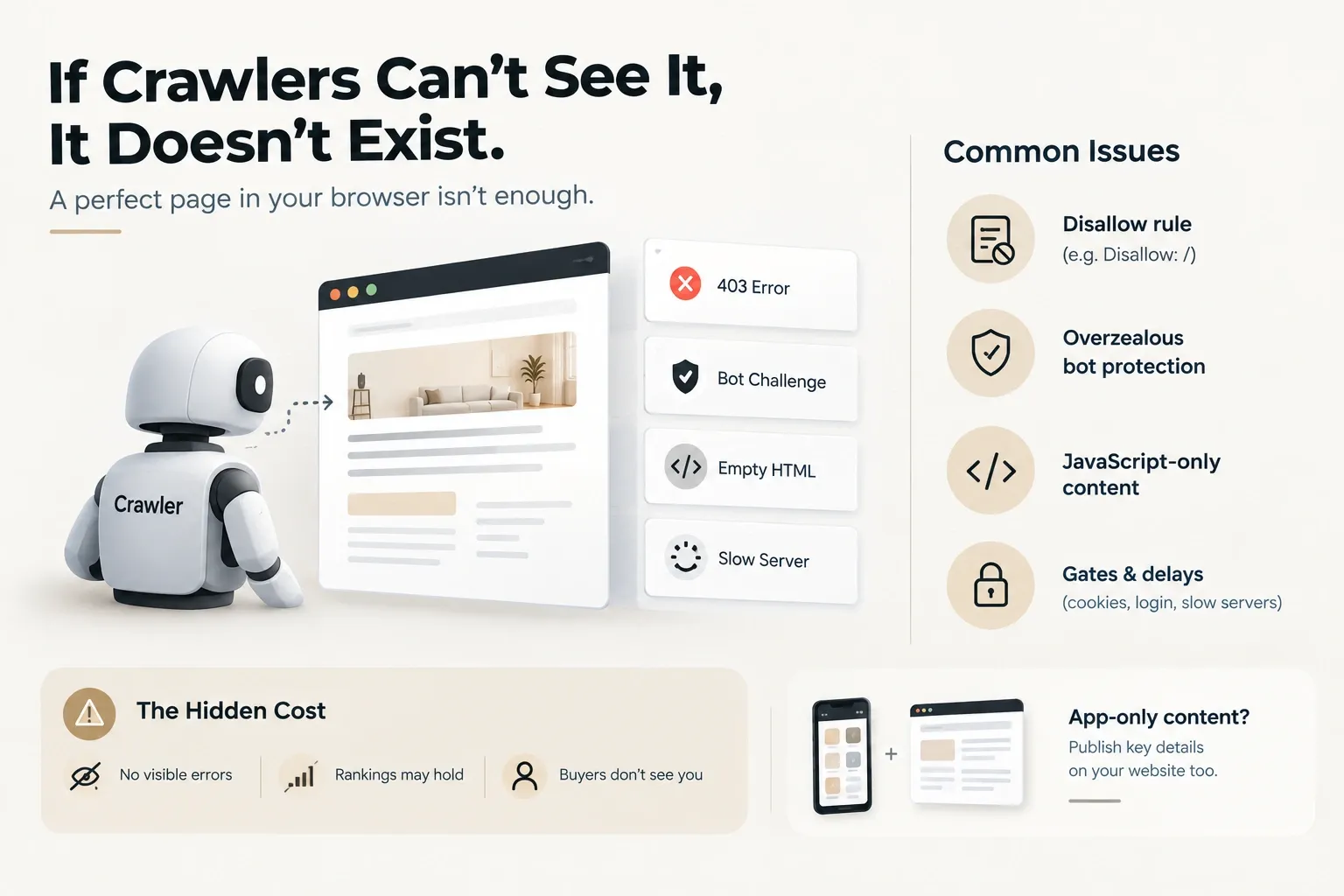
Four problems account for most of the failures you would expect to find in a first audit.
- A blanket disallow rule: A Disallow: / copied across from a staging environment shuts out every compliant crawler at once, and it can sit unnoticed for months after launch.
- Overzealous bot protection: Firewall and CDN rules written to stop scrapers often catch legitimate AI crawlers too. The bot is turned away before it reaches a single page, so no edit to robots.txt will help.
- Content that depends on JavaScript: Google’s indexing system renders scripts, but you should not assume every AI crawler does. If your headings, pricing and service descriptions are injected by the browser, some bots will see an empty page.
- Gates and delays: Cookie walls, login prompts and slow servers all end the same way: the crawler leaves with nothing.
The commercial cost is easy to underestimate because nothing visibly breaks. Nothing throws an error and no report flags a traffic drop. Your rankings in classic search may hold steady while a growing group of buyers, the ones who ask an assistant for a shortlist, never sees your name. The absence only shows up months later as a gap in the pipeline.
Product businesses that keep key information inside an app have a variation of the same problem. Anything shown only in-app is invisible to a web crawler, so whichever mobile app development company Ahmedabad you work with should publish the important details on crawlable web pages as well.
Find out exactly what AI bots see on your site
Get a crawl and access audit from our team and know what to fix first.
How to Check If AI Bots Can Read Your Website?
You do not need special software for a first pass. Five checks, done in order, will show you where the blockage sits.
1. Read your robots.txt:
Open yourdomain.com/robots.txt and look at two things: the rules under User-agent: *, and any named entries for GPTBot, OAI-SearchBot, ClaudeBot, Claude-SearchBot or PerplexityBot. A single Disallow: / under the wildcard blocks everything that follows the standard. Explicit permission looks like this:
User-agent: OAI-SearchBot
Allow: /
User-agent: Claude-SearchBot
Allow: /
User-agent: PerplexityBot
Allow: /
Keep in mind what the file is for. Google’s robots.txt guide describes it as a way to manage crawler traffic, not a method for keeping a page out of search results, and that distinction matters when you decide which bots to welcome.
2. Test the server response:
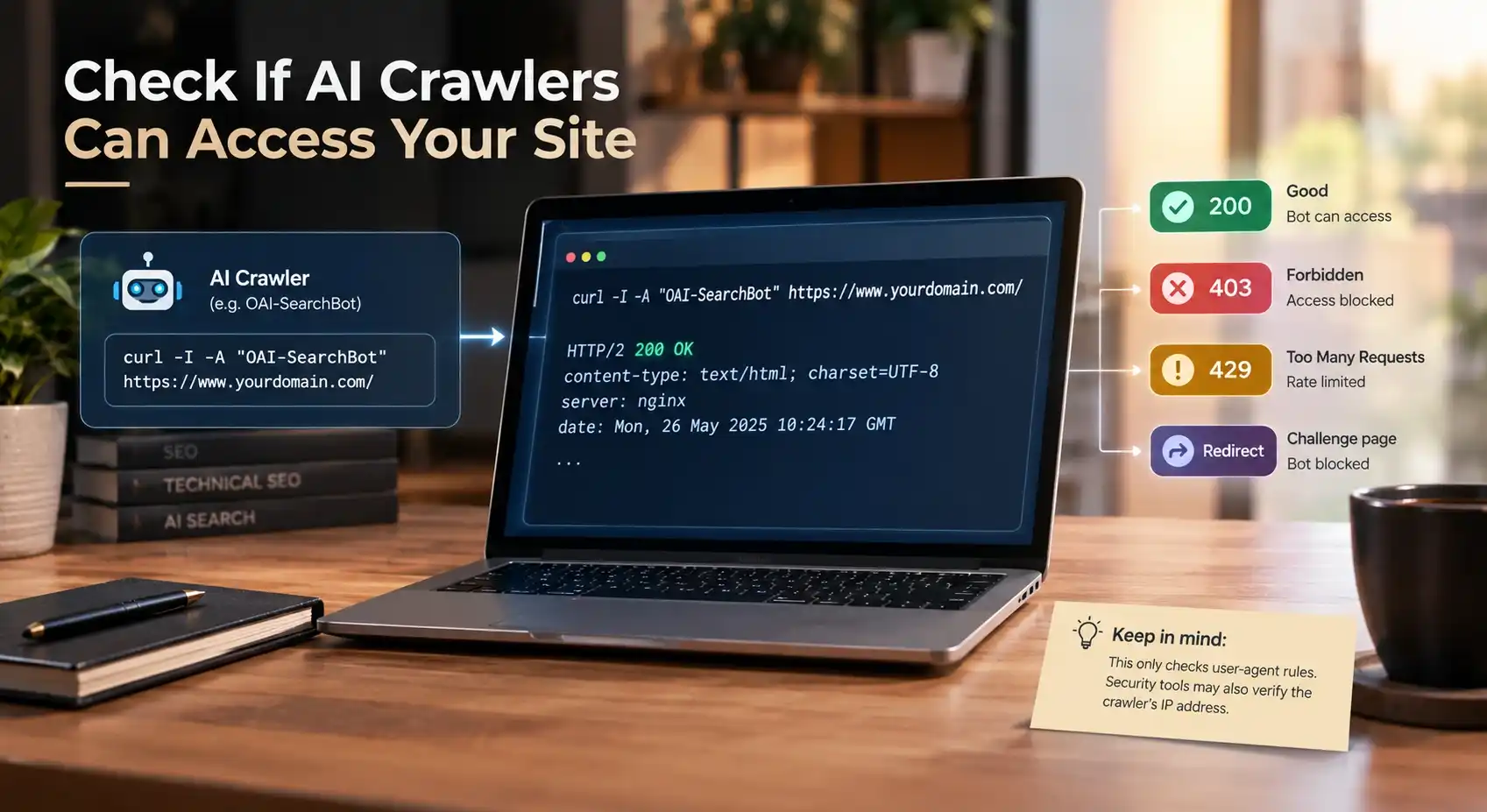
Send a request that identifies itself as an AI crawler and read the status code it returns.
curl -I -A “OAI-SearchBot” https://www.yourdomain.com/
A 200 response is encouraging. A 403, a 429 or a redirect to a challenge page means something between the bot and your content is stepping in. One caution: this only exercises user-agent rules. Security tools that also verify a crawler’s IP address will treat a genuine bot differently from your laptop, so read a pass as promising, not conclusive.
3. See what the bot sees:
Open the page source (not the browser inspector) or switch JavaScript off and reload. If your main headings and copy are missing, a crawler that skips scripts is missing them too.
4. Check your server logs:
Search your logs for the bot names above and look at the status codes returned. A run of 200s means access is working. Repeated 403s are the evidence to take to your hosting provider. User-agent strings can be faked, so compare suspicious entries against the IP ranges the vendors publish.
5. Ask the assistants directly:
Ask ChatGPT, Claude and Perplexity to summarise a specific page and say what they found. It makes a useful sanity check, though not proof. An answer assembled from other sources can hide a failed fetch, so weigh it against your logs.
Which AI Crawlers Matter, and What Blocking Each One Costs?
The distinction that trips most people up is training versus search. Anthropic describes three separate bots for model training, search indexing and user-directed retrieval in Anthropic’s crawler policy, and OpenAI and Perplexity follow a similar split.
| Bot | Operator | What it does | If you block it |
| GPTBot | OpenAI | Collects content for model training | Content is excluded from training; ChatGPT search is unaffected |
| OAI-SearchBot | OpenAI | Powers ChatGPT search results | Your site stops appearing in ChatGPT search answers, though links may still show |
| ChatGPT-User | OpenAI | Fetches pages when a user asks | Limits fetches triggered by users inside ChatGPT |
| ClaudeBot | Anthropic | Collects content for training | Future content is excluded from training |
| Claude-SearchBot | Anthropic | Indexes content to improve search results | Can reduce your visibility and accuracy in search results |
| Claude-User | Anthropic | Retrieves pages when a user asks | May reduce visibility for user-directed search |
| PerplexityBot | Perplexity | Builds the index behind its search results | Removes you from that index |
| Perplexity-User | Perplexity | Fetches pages to answer a user’s question | Generally ignores robots.txt |
Blocking a training bot is a business decision about how your content gets reused. Blocking a search or user bot is a visibility decision, and it usually costs you. Blocking GPTBot, for example, does not remove you from ChatGPT search, because OpenAI treats each bot as an independent setting. Most commercial sites want the search and user bots allowed. Whether to admit the training crawlers depends on your view of the trade.
Fixes That Restore AI Crawler Access:
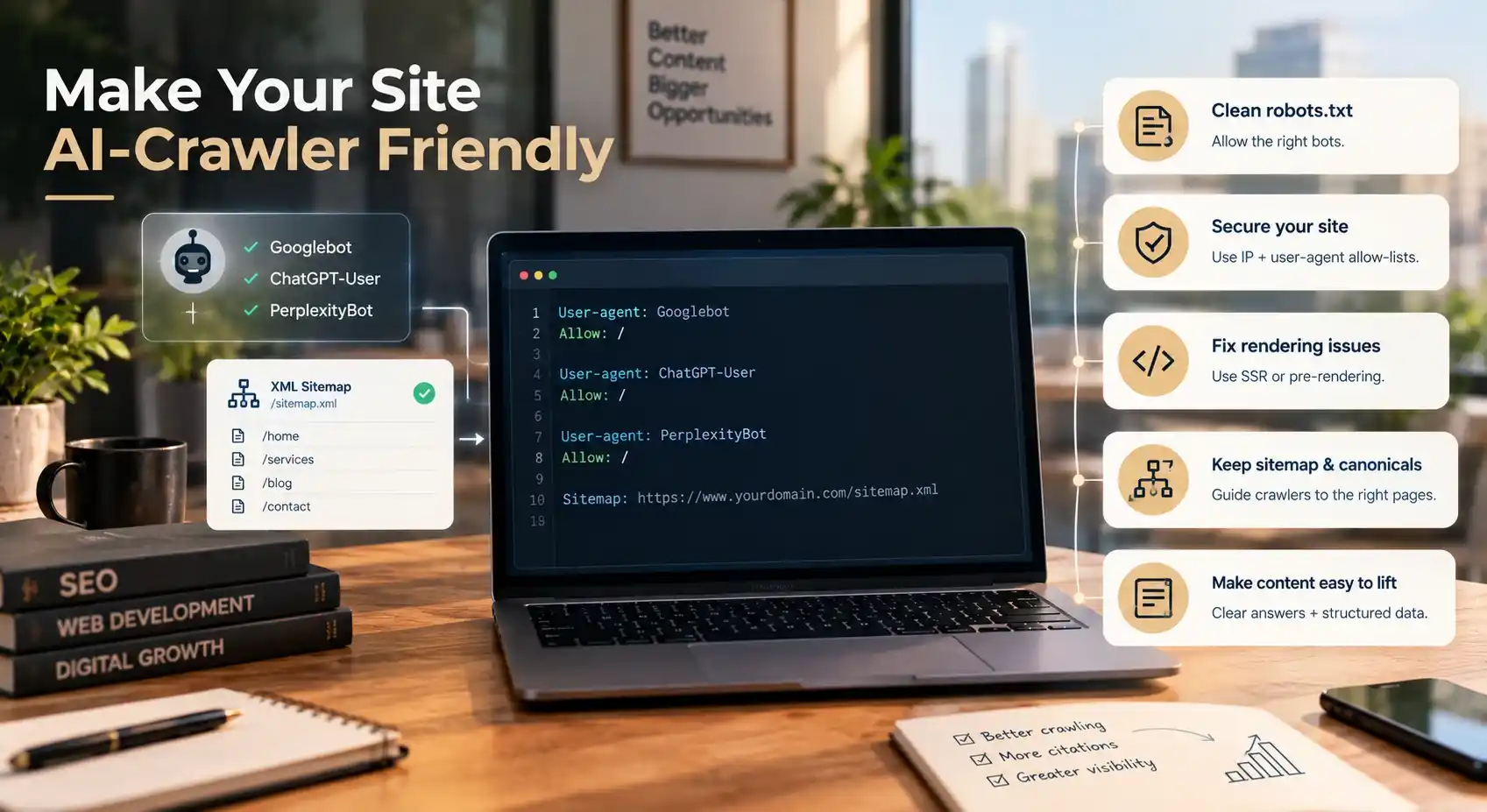
Start with the cheapest one. Remove any stray disallow rules, add explicit allow entries for the search and user bots you want, and then wait. OpenAI and Perplexity both say changes can take around 24 hours to be reflected, so resist the urge to keep editing after an hour.
Firewalls need a more careful hand. Allow-listing by user agent alone invites abuse, because anyone can fake a user agent. Perplexity’s crawler documentation recommends combining user-agent matching with the vendor’s published IP ranges, and that is a sound pattern to apply to every AI bot you admit.
Rendering problems are a development job. If your site is a single-page application that delivers an empty shell, the durable fix is server-side rendering or pre-rendering for key pages. Teams that offer web app development services can usually add this without changing how the site looks, and it helps every crawler at once.
Keep your XML sitemap current and referenced in robots.txt, with canonical tags pointing at the version of each page you want cited. Duplicate or parameter-heavy URLs dilute what a crawler learns about your site, while a clean sitemap hands every bot the same short list of pages worth reading.
Last, make the content easy to lift. Put a direct answer near the top of each page, use descriptive headings, and add structured data where it fits. An llms.txt file is optional housekeeping at best. No amount of tidy files will fix a page that says nothing specific.
What Strong AI SEO Services Actually Include?
AI SEO services, sometimes sold as GEO services or answer engine optimisation, cover the work that makes your site findable, readable and quotable by AI systems. A proper engagement starts with the access audit described above, then moves on to content structure, trust signals and monitoring of where your brand gets cited. The aim is simple: to be the source an assistant names when a buyer asks who to hire. Because a crawler block quietly costs visibility every week it stays in place, the audit is the sensible first purchase. It is small, quick and everything else depends on it.
Here is what a well-scoped engagement covers.
- Crawl and access audit. Robots rules, firewall behaviour, rendering and server responses tested against each major AI bot.
- Content restructuring. Pages reworked so a direct answer sits near the top, under headings that match the questions buyers actually ask.
- Entity and trust signals. Consistent business details, named authors and credible references that let a model confirm who you are.
- Citation tracking. Regular prompts run across ChatGPT, Claude and Perplexity to see which of your pages get named, and which competitors do.
Conventional SEO services still carry much of the weight here. Pages that rank well, load quickly and earn genuine links are the ones answer engines tend to find in the first place, and AI optimization sits on top of that base.
Benefits and Business Impact:
Fixing access has an unusual advantage: it is one of the few marketing tasks where a single correction can unlock work you have already paid for. Existing articles, service pages and case studies become eligible for citation without a rewrite. Beyond that, being named in an AI answer puts your brand in front of a buyer at the moment of comparison, often before they have opened a single search result.
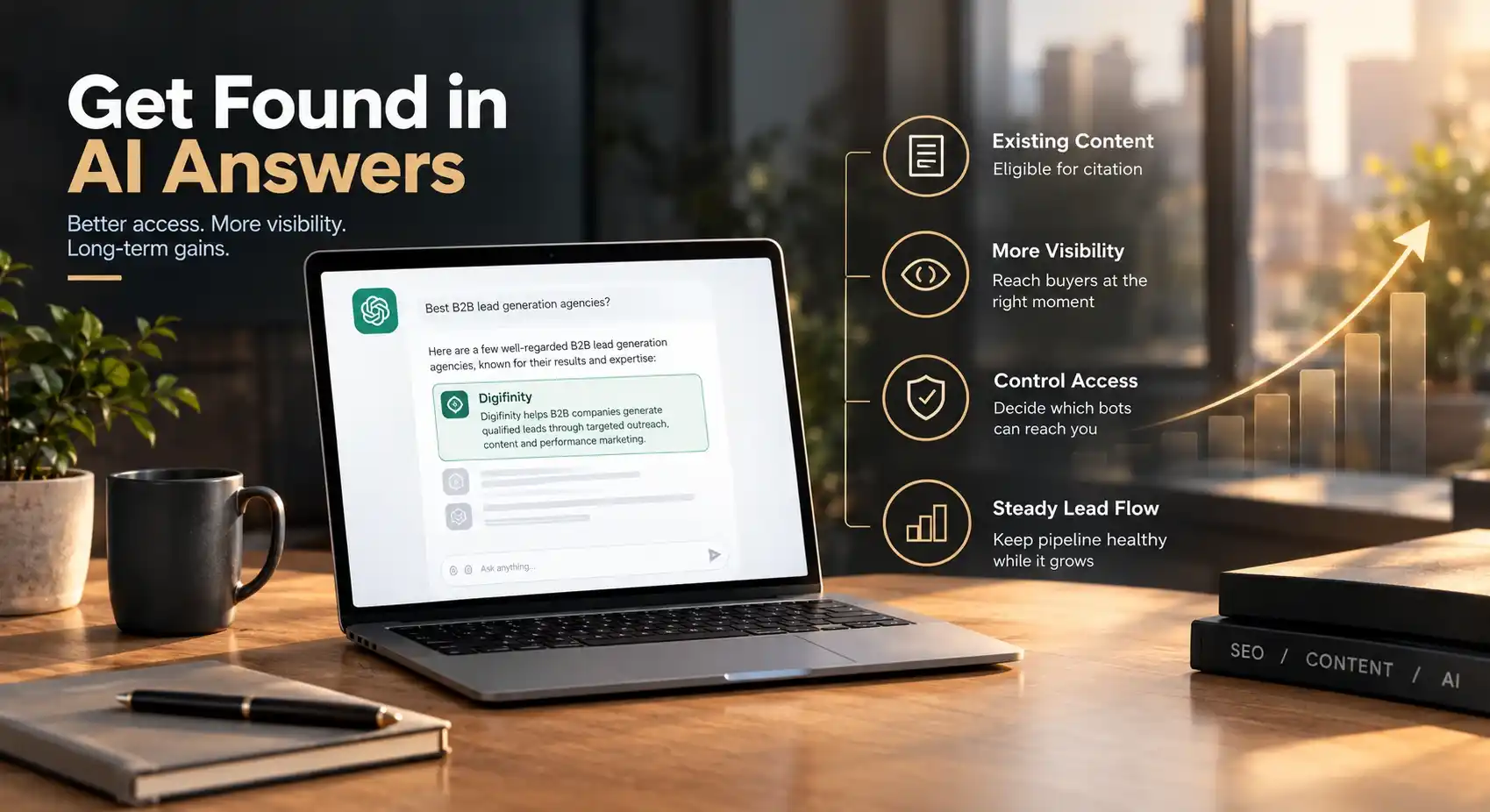
There is a defensive gain too. Once you know which bots can reach you, you can make a deliberate call on training access instead of inheriting whatever your CMS or host happened to default to. That decision is worth documenting for your legal or brand team, particularly if your content is a core commercial asset.
An honest note on limits. Nobody can guarantee that an assistant will cite you, and anyone who promises it is guessing. What you can control is eligibility, clarity and consistency, and those are worth having whatever the algorithms do next.
Organic AI visibility builds gradually, so it makes sense to hold lead flow steady in the meantime. Pairing the work with a performance marketing agency that tracks cost per lead keeps the pipeline healthy while the technical fixes compound.
Why Choose Digifinity for AI Search Work?
Digifinity is a digital marketing agency in Ahmedabad that treats crawler access as the first line of any AI visibility brief, not an afterthought. Our GEO services begin with the checks in this guide, run against your live site, with findings written so your developer can act on them the same day. We report plainly on what we find, including when the fix is small and you do not need us.
Searching for a digital marketing agency near me usually returns a wall of similar promises. A more useful filter is to ask each shortlisted firm to show you a crawl audit before you sign. If you are comparing the best digital marketing agency in India for AI search work, that single request separates the agencies that understand the mechanics from those that simply sell the label. We are happy to be measured that way.
Every week a block stays in place is a week of content that no assistant can cite. The sensible time to run the check is now.